
Family Paperwork That Can Be Found in Two Minutes
I remember standing in my kitchen three years ago, staring at a mountain of crumpled immunization cards, school reports, and half-signed consent forms, wondering exactly how to keep family records organised when I could barely find my own car keys. The internet tells you that you need a high-end scanning app, a subscription to a cloud-based filing system, and a dedicated home office to do this properly. But let me tell you something I learned when my second child was two: when you are sleep-deprived and a GP is asking for a specific vaccination date, you don’t need a digital masterpiece; you need to know exactly where the folder lives.
I’m not going to sell you on a complex system that requires you to be a part-time librarian. Instead, I’m going to give you the unfiltered reality of what actually works when life gets messy. I’ll share the low-tech, high-efficiency methods I use to manage the chaos of four kids, focusing on what is actually worth saving and what is just more paper to trip over. We’ll look at how to build a system that survives a toddler’s tantrum and a busy Tuesday, because practicality beats perfection every single time.
Table of Contents
- The Paperwork Avalanche Why Everything Feels Broken at 2 Am
- Real World Tactics for How to Keep Family Records Organised
- Organizing Important Household Paperwork Without Losing Your Mind
- Smart Digital Document Storage Solutions for Busy Exhausted Parents
- Scanning Paper Records for Backup When Life Gets Messy
- Securing Sensitive Personal Information and Your Emergency Document Checkli
- Five Ways to Stop the Paperwork Panic Before It Starts
- The Survival Kit: Three Things to Remember When the Paperwork Wins
- The Goal Isn't Perfection
The Paperwork Avalanche Why Everything Feels Broken at 2 Am
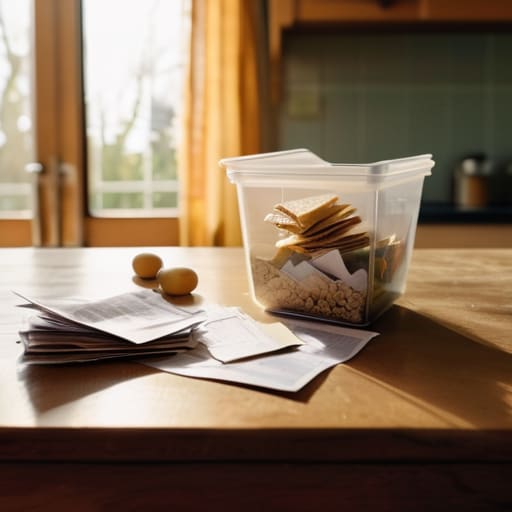
When I was working the night shift on the paediatric ward, I saw the exact moment the “system” failed. It wasn’t a medical error; it was a parent frantically digging through a diaper bag for a vaccination record or a specialist’s letter while their child was crying in a high-chair. They weren’t disorganized; they were just living. When you are in the thick of it, the gap between a pristine filing cabinet and the reality of a kitchen counter buried under school permission slips and medical receipts feels impossible to bridge.
The problem is that most advice on organizing important household paperwork assumes you have the mental bandwidth of a librarian. It doesn’t account for the fact that when you’re sleep-deprived, your brain’s ability to locate a specific PDF or a crumpled immunization card drops to zero. You don’t need a complex hierarchy; you need an emergency document checklist that is so intuitive you could find it with one eye open. Whether you’re leaning into digital document storage solutions or just a single, sturdy plastic bin, the goal isn’t perfection—it’s accessibility when the adrenaline is hitting and the clock says 2:14 AM.
Real World Tactics for How to Keep Family Records Organised
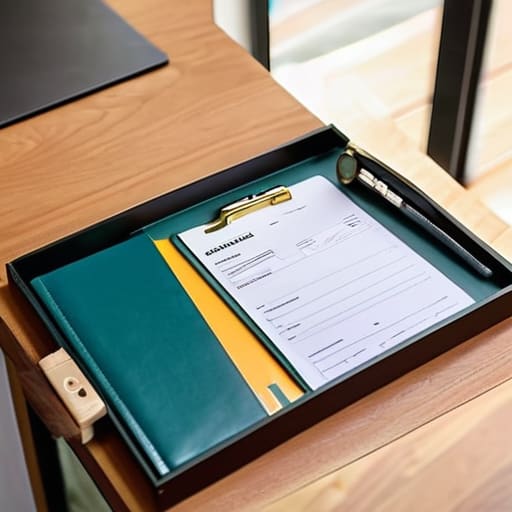
First, let’s talk about the “Emergency Pile.” When my second child had a fever that wouldn’t break, I spent twenty minutes tearing through a kitchen drawer looking for his immunization card. It was a disaster. You need an emergency document checklist that lives in one single, unmissable spot—a bright folder or a specific drawer—containing the essentials like passports, medical histories, and insurance. If you can’t find it in ten seconds while your brain is fogged by sleep deprivation, the system has failed you.
Once you have the physical basics, move toward scanning paper records for backup. Don’t bother trying to build a complex, multi-layered archive immediately; that’s how projects die. Instead, just snap a clear photo of the vital stuff and put it in one dedicated folder on your phone or a secure cloud drive. I found that once my oldest was three, having a digital version of his birth certificate meant I wasn’t digging through dusty boxes at the doctor’s office. It’s about reducing friction, not achieving perfection.
Organizing Important Household Paperwork Without Losing Your Mind
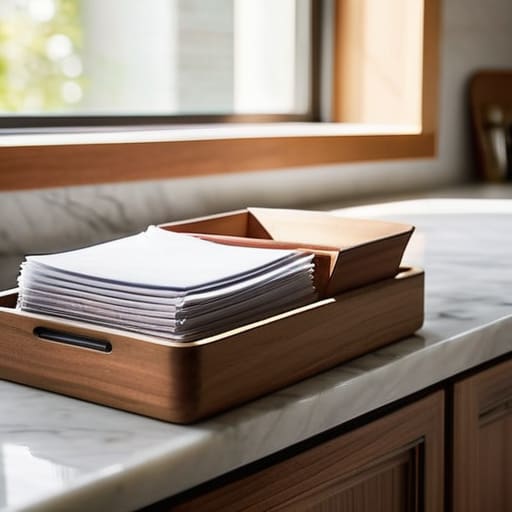
If you try to build a perfect, color-coded archive while your toddler is currently using a permanent marker on the hallway wall, you are going to fail. I learned that with my second, when I tried to create a “master binder” and ended up just crying over a pile of unfiled immunization records. Instead of aiming for perfection, focus on organizing important household paperwork into three distinct buckets: the “Right Now” pile, the “Long Term” vault, and the “Emergency” grab-bag. The “Right Now” pile is just a tray on the counter for school forms and bills; don’t let it become a mountain.
For the heavy lifting, I’m a big believer in scanning paper records for backup rather than hoarding every single receipt. When my eldest was three, I spent hours filing physical copies of things that could have lived on a hard drive. Now, I use a simple digital setup. If you are looking for family filing system ideas, keep it lean. Use a secure cloud service for your digital document storage solutions, but always keep a physical emergency document checklist in one single, obvious place—like the top drawer of the bureau—so you aren’t hunting for it when the power goes out or the car won’t start.
Smart Digital Document Storage Solutions for Busy Exhausted Parents
Now, I know what you’re thinking. You’ve heard the tech gurus talk about seamless cloud integration, and you’re thinking, “I can barely find my phone charger, let alone a cloud.” But here is the reality: when you are staring at a pile of medical letters or a lost immunization record, searching through a physical drawer is a losing battle. Moving toward digital document storage solutions isn’t about becoming a tech wizard; it’s about creating a safety net for when your brain is too fried to function.
I started scanning paper records for backup when my second child was eighteen months old and I lost a crucial specialist referral letter in the chaos of a teething bout. I didn’t use any fancy software; I just used my phone to snap a photo and put it in a folder named ‘Medical’. My advice? Don’t aim for perfection. Aim for accessibility. If you can find it in three taps on your phone while standing in a pharmacy queue, you’ve won. Just make sure you are securing sensitive personal information with a strong password—because the last thing you need is a digital version of the “paperwork avalanche” happening in the wrong hands.
Scanning Paper Records for Backup When Life Gets Messy
Here is the reality of scanning paper records for backup: it is a monumental task that feels impossible when you are currently being used as a human climbing frame. When I was a nurse, I saw how much information lives on those flimsy, curled-up pieces of paper—immunisation records, specialist letters, the ones you know you need but can never find. You don’t need a professional-grade scanner or a degree in information technology to get this done. You just need a decent smartphone app and about ten minutes of quiet.
Don’t try to do it all at once. If you attempt to scan every receipt and school permission slip in one sitting, you will fail by the third page. Instead, make it part of your emergency document checklist. Start with the high-stakes stuff: birth certificates, passports, and those crucial medical summaries. Once you’ve mastered scanning paper records for backup for the “must-haves,” the rest of the pile becomes much less intimidating. My second child was three when I finally stopped trying to be perfect and just focused on the essentials; it was the only way to actually get the job done without a meltdown.
Securing Sensitive Personal Information and Your Emergency Document Checkli
Now, here is where the clinical nurse in me meets the exhausted father of four. When we talk about securing sensitive personal information, it isn’t just about a password on a laptop; it’s about making sure that if you are sitting in a hospital waiting room, you aren’t frantically digging through a kitchen drawer for a birth certificate or a vaccination card. I remember when my second child had a sudden, high fever at 3 AM; I spent ten minutes panicking because I couldn’t remember if I’d filed his medical history or just shoved it in a random folder.
You need an emergency document checklist that is idiot-proof—because when you are sleep-deprived, you are an idiot. This list should include things like insurance details, scans of passports, and any critical medical directives. Don’t just rely on your digital document storage solutions; keep a physical “grab folder” in a dedicated spot. It doesn’t need to be pretty, and it certainly doesn’t need to be color-coded. It just needs to be the one place where the most vital pieces of your life live, ready to go when everything else feels like it’s falling apart.
Five Ways to Stop the Paperwork Panic Before It Starts
- The “One-Touch” Rule for School Letters: When my second child was four, I used to let every permission slip and newsletter sit on the kitchen counter until they became a structural hazard. Now, the rule is simple: as soon as a piece of paper hits the house, it either goes into the bin, into the “Action Required” folder, or gets snapped as a photo and tossed. If it doesn’t need a signature, it shouldn’t be taking up physical space in your life.
- Create a “Crisis Folder” for the Essentials: In the ward, I saw how much harder it was for parents when they couldn’t find a vaccination record or a specialist’s name during a crisis. Don’t try to organize your entire life history; just grab one bright, obnoxious-looking lever-arch file and put the big stuff in it—passports, birth certificates, and medical summaries. If the house is a mess, you at least know exactly where the “life-saver” documents are.
- Stop Trying to Color-Code Everything: Look, I know there are people on Pinterest who suggest a beautiful, color-coded filing system for every aspect of family life. I tried that with my first when she was a toddler, and it lasted exactly three days before a spilled juice box turned my “Financial Planning” folder into a sticky, purple disaster. Use sturdy, plastic sleeves instead. They’re cheap, they protect against spills, and they don’t require a PhD in aesthetics to maintain.
- The Sunday Night Digital Sweep: I’ve found that a ten-minute window on Sunday evening—usually while the kids are finally settling and I’m nursing a lukewarm tea—is the only time I can actually manage digital clutter. Don’t try to organize your cloud storage every day; you won’t. Just once a week, move those random screenshots of medical results or school menus from your phone’s camera roll into a dedicated “Family” folder. It prevents that frantic scrolling when you’re trying to remember what the GP actually said.
- Build a “Legacy” Buffer: When my eldest was about seven, I realized we had a mountain of “memory” paperwork—the first drawing, the hospital bracelet, the awkward preschool certificates—all mixed in with the electricity bills. Separate them. Keep a single, dedicated box for the sentimental stuff. It keeps the important memories from getting lost in the noise of the mundane, and more importantly, it keeps the mundane from making you feel like you’re drowning in clutter.
The Survival Kit: Three Things to Remember When the Paperwork Wins
Don’t aim for perfection; aim for “findable.” You don’t need a color-coded archive system that requires a PhD to navigate; you just need one single, predictable “emergency spot”—whether that’s a physical folder or a specific digital folder—where the stuff that actually matters lives when things go sideways.
Digital is great until the Wi-Fi dies or you’ve forgotten a password at the worst possible moment. Always keep a hard copy of the absolute essentials—passports, medical records, insurance—somewhere physical. I learned this when my eldest was three; a digital backup is a lifesaver, but a physical folder in a drawer is what actually gets you through a crisis.
Build your system for your worst self, not your best self. When you are sleep-deprived and running on nothing but caffeine and adrenaline, you aren’t going to follow a complex filing protocol. Design your organization around the version of you that is tired, distracted, and just needs to find a birth certificate in under sixty seconds.
The Goal Isn't Perfection
Look, if you’ve gone through this list and felt a mounting sense of dread because your “emergency pile” currently looks more like a landfill, take a breath. You don’t need a color-coded, archival-grade filing system to be a prepared parent. Whether you’re opting for a single, sturdy binder for the physical bits or a streamlined digital folder for the scans, the objective is the same: reducing the friction between a crisis and the information you need. We’ve talked about the digital backups, the security of your sensitive data, and the necessity of a checklist that actually works when you’re sleep-deprived. The goal isn’t to have a perfectly curated archive; it’s to ensure that when the unexpected happens, you aren’t spending forty minutes digging through a kitchen drawer while your brain is fogged by exhaustion.
I remember being on the ward with a mother whose toddler had a sudden, spiking fever. She was frantic, not just because of the illness, but because she couldn’t remember the exact timing of the last dose or the specific details of his previous reaction. In those moments, organization is an act of self-care. It’s about giving your future, stressed-out self a fighting chance. Don’t let the scale of the task paralyze you. Start with one folder, one scan, or one single “emergency box.” You’re doing a hard job, and you’re doing it well. Give yourself some grace—the paperwork will eventually get sorted, but for now, just focus on getting through the next hour.